Staff scheduling
BD-online – easily organise medical on-call and emergency service duties.
PP-online – organise shifts, plan staffing and manage payroll.

BD-online: medical on-call scheduling
Plan medical on-call duties automatically and transparently. BD-online assigns doctors according to the obligations stored in the physician register. Configurable parameters and modules adapt scheduling to your requirements. Charts make the distribution of duties transparent and help assess fairness. Manual changes are always possible.
Your rules shape the schedule
Automatic scheduling takes account of your organisation’s requirements and doctors’ individual circumstances:
- Preferences, blocks of preferred shifts and fixed requests
- Leave, absences and public holidays
- Distribution of shift sequences and excluded duty types
- Preferred and excluded staff combinations
- Employed doctors and regular deputies
- Waiting periods, exclusion groups and follow-on groups
Send schedules directly
Send completed schedules directly through BD-online. Automatic duty reminders help keep doctors informed in good time.
Allocate public holiday duties fairly
Define the rules for allocating public holiday duties. For example, a doctor can receive another public holiday duty only after all other doctors have also been considered. This makes the distribution transparent and easy to understand.
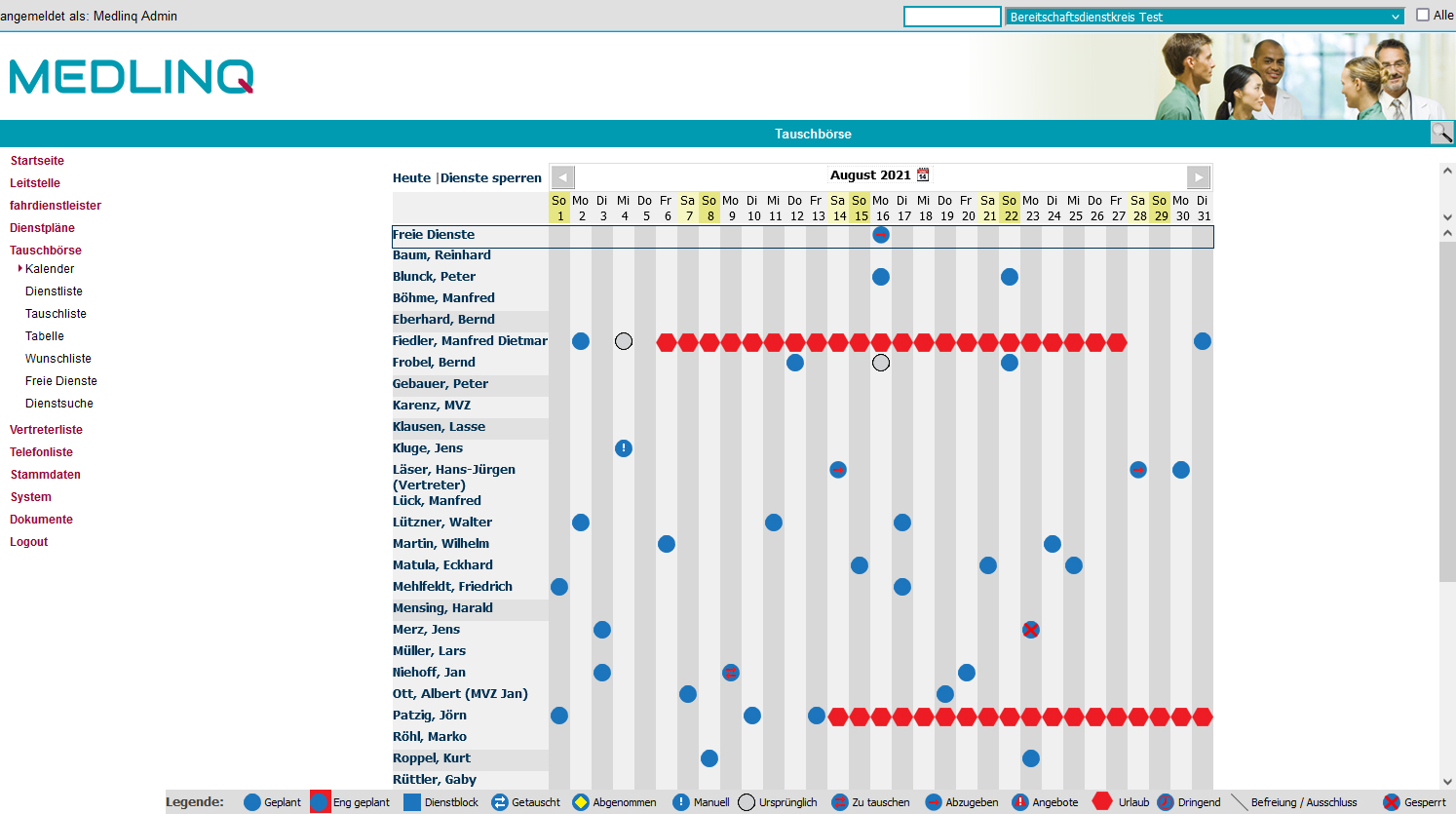
Swap duties easily
The shift marketplace lets doctors view each month’s duties and offer, swap or take over shifts. Notifications keep them informed about swap and takeover offers and successfully completed exchanges.
Adapted to your organisation
Control access through individual roles and permissions and integrate BD-online directly into your Association of Statutory Health Insurance Physicians (KV) portal. As a web-based system, it is accessible regardless of location. Its appearance can also be adapted to your design.
Benefits at a glance
- Scheduling for medical on-call services
- Shift marketplace for doctors
- Custom duty times and types
- Interfaces to the physician register
- Custom reports in PDF or CSV format
- Transparency for KV staff
- Adaptation to your design
- Integration with your portal
- Schedule distribution and automatic duty reminders
- Duty exemptions taken into account
- Notifications of swap and takeover offers and completed exchanges
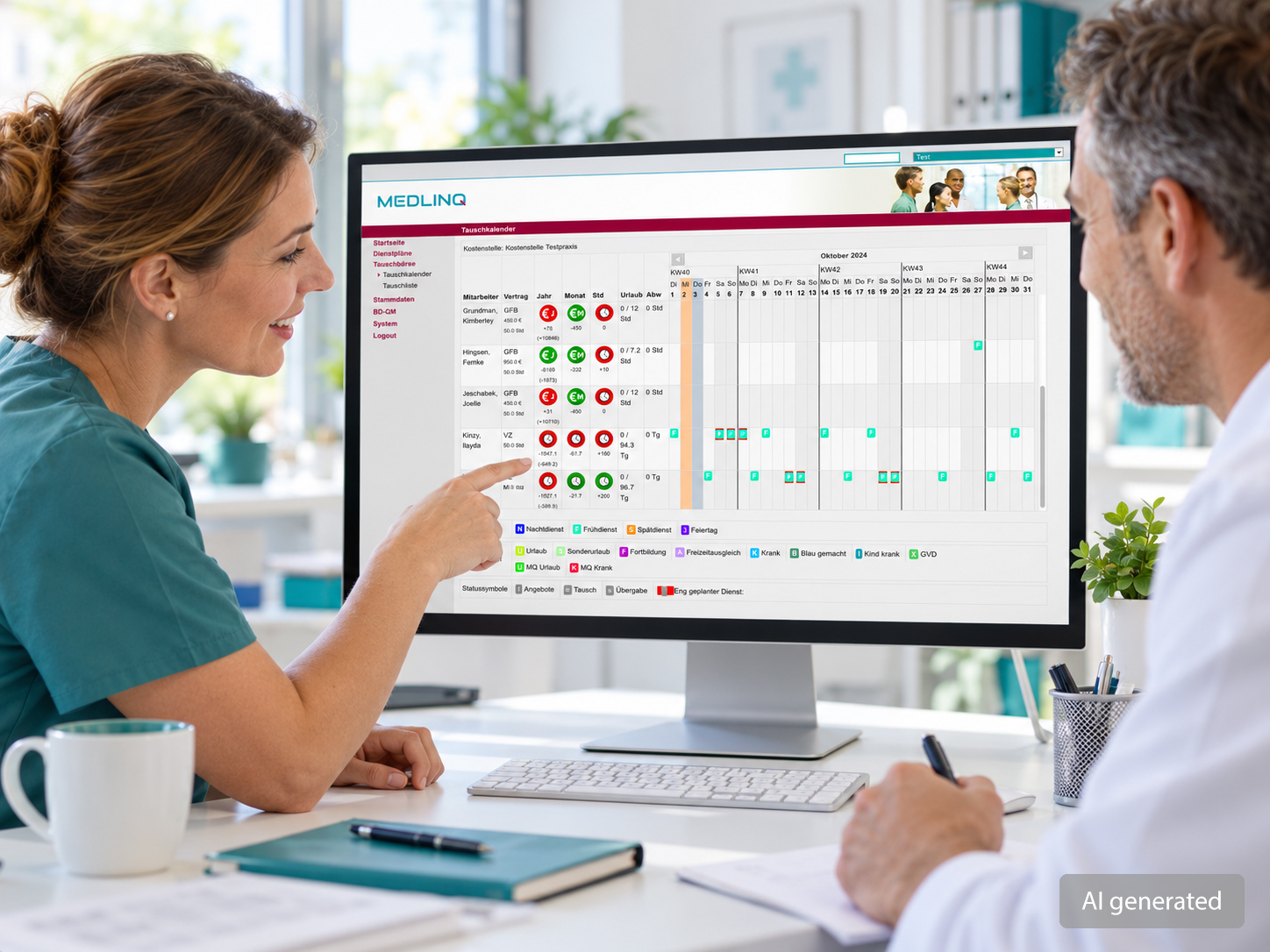
PP-online: staff planning
Organise shifts, staffing and payroll in a web-based application. PP-online is accessible from any location and gives staff access to their own schedules at any time. KV coordinators can centrally support emergency practices with their scheduling.
Plan around your requirements
PP-online calculates shift allocations based on contracts, duty types and pay categories. Scheduling takes account of:
- Annual and monthly limits for marginal employment
- All employee contracts
- Leave and preferences
- Preferred and excluded staff combinations
- Excluded duty types
- Agreed weekly hours for part-time and full-time staff
- Public holidays
Clear employee accounts
Keep track of hours worked, pay earned, accrued leave and other absences. Employee accounts show every posting – down to each pay category for each shift.
See limits at a glance
The traffic-light system shows whether contractual working-hour and pay limits are being met. When a shift changes, you immediately see its effect on the indicators. Monthly and annual limits remain easy to track.
Let staff swap their own shifts
Staff can use the marketplace to swap or offer shifts. Their own traffic-light display helps them monitor their work and the applicable limits.
Simple monthly payroll
The payroll interface simplifies monthly processing. Instead of manually checking individual timesheets, lock the month against further changes, check account balances and release it for payroll at the touch of a button.
Benefits at a glance
- Scheduling for marginally employed, part-time and full-time staff
- Traffic-light indicators for monthly and annual pay and working-hour limits
- Custom pay categories
- Shift marketplace for staff
- Custom absence reasons with or without continued pay
- Payroll interfaces and import of employee master data
- Reporting with cost centre structures
- Transparency for KV staff
- Adaptation to your design